
Revoke Tax Config Authority on Solana: Guide
Introduction
The DEXArea Revoke Tax Config Authority tool lets you permanently remove the transfer fee configuration authority from a Token-2022 mint that uses transfer fees.
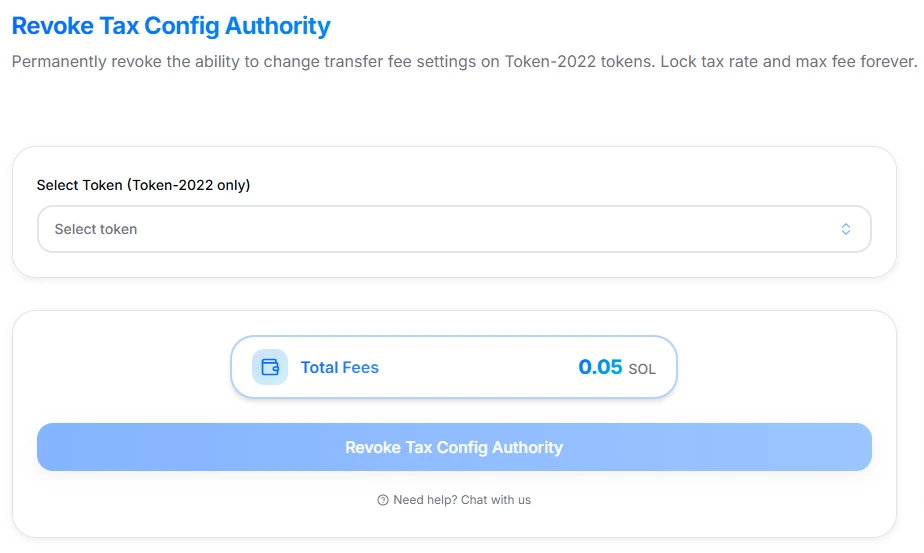
Revoke Tax Config Authority interface
In practice, this means:
- The tax rate (transfer fee percentage) and
- The maximum fee per transaction
are locked forever and can never be changed by anyone, including you.
This guide explains what the tool does, how it interacts with the Token-2022 TransferFeeConfig extension, when you might want to use it, and the risks involved. It is technical documentation only and not financial or investment advice.
1. What the Tool Does
The Revoke Tax Config Authority tool:
- Works with Token-2022 tokens that have the TransferFeeConfig extension enabled.
- Verifies that:
- Your connected wallet currently holds the transfer fee config authority, and
- The token actually uses transfer fees.
- Builds a transaction that sets the transfer fee config authority to
Noneon the mint. - After success:
- No wallet, program, or multisig can change the fee parameters again.
- Current tax settings (fee % and max fee) become permanent.
Pricing:
- Platform fee: 0.05 SOL (one-time for the revoke action)
- Network fees: Standard Solana transaction & priority fees, visible in your wallet before you sign.
Use this when you truly want the tax parameters to be frozen for the lifetime of the token.
2. Background: Transfer Fee Config Authority (Token-2022)
Token-2022 adds a transfer fee extension that allows a token to collect a fee on every transfer. The key concepts:
-
Transfer fee — A percentage of every transfer that is collected as a fee.
-
Max fee per transfer — An upper cap so that very large transfers don’t pay unbounded fees.
-
Withheld fees — Fees accumulate as “withheld” balances and can be withdrawn later by a separate withdraw authority.
-
Transfer fee config authority — The address that can change:
- Transfer fee percentage
- Maximum fee per transfer
Token-2022 has an additional safety feature: when you change transfer fee parameters, those updates take effect only after a 2-epoch delay (roughly several days). During this delay, the old settings remain active. This gives holders time to react to fee changes and improves transparency.
Revoking the transfer fee config authority removes the ability to schedule any further changes at all. Existing active settings (and any already-pending ones that are in effect) become the final configuration.
3. Why Revoke Tax Config Authority?
Typical reasons to use this tool:
-
Finalize your tokenomics — You’ve set the tax rate and max fee you want and want them locked permanently.
-
Increase trust and predictability — Holders can verify on-chain that:
- The transfer fee config authority is
None, and - Fee settings cannot be changed later.
- The transfer fee config authority is
-
Compliance or internal policy — Your project, governance rules, or listing requirements may demand that tax parameters cannot be changed by any centralized party.
-
Clear separation from “configurable tax tokens” — Many “tax tokens” keep a mutable tax configuration forever. Revoking the config authority is a strong signal that your token is not one of them.
If you might need to change tax settings again (for example, to reduce fees later), do not use this tool. In that case, use the Change Tax Settings tool instead.
4. What You Need Before Using This Tool
To successfully revoke tax config authority, you must have:
-
A Token-2022 mint with transfer fees — The token must:
- Use the Token-2022 program, and
- Have the TransferFeeConfig extension enabled.
-
Transfer fee config authority in your wallet — The connected wallet must currently be the transfer fee config authority for that mint. If authority was transferred to another wallet, multisig, or governance program, you must connect that owner instead.
-
Enough SOL for fees
- 0.05 SOL platform fee
- Network and priority fees for the transaction
-
Finalized fee parameters — You should already have the tax rate and max fee you want to keep forever. If needed, use Change Tax Settings first, then revoke after the desired configuration is active.
5. Quick Start
-
Open the tool — Go to Revoke Tax Config Authority.
-
Connect your wallet — Use the wallet that currently holds the transfer fee config authority for the token.
-
Select your token
- Choose the Token-2022 mint you want to lock.
- The tool checks whether:
- It’s a Token-2022 mint with transfer fees, and
- Your wallet is the config authority.
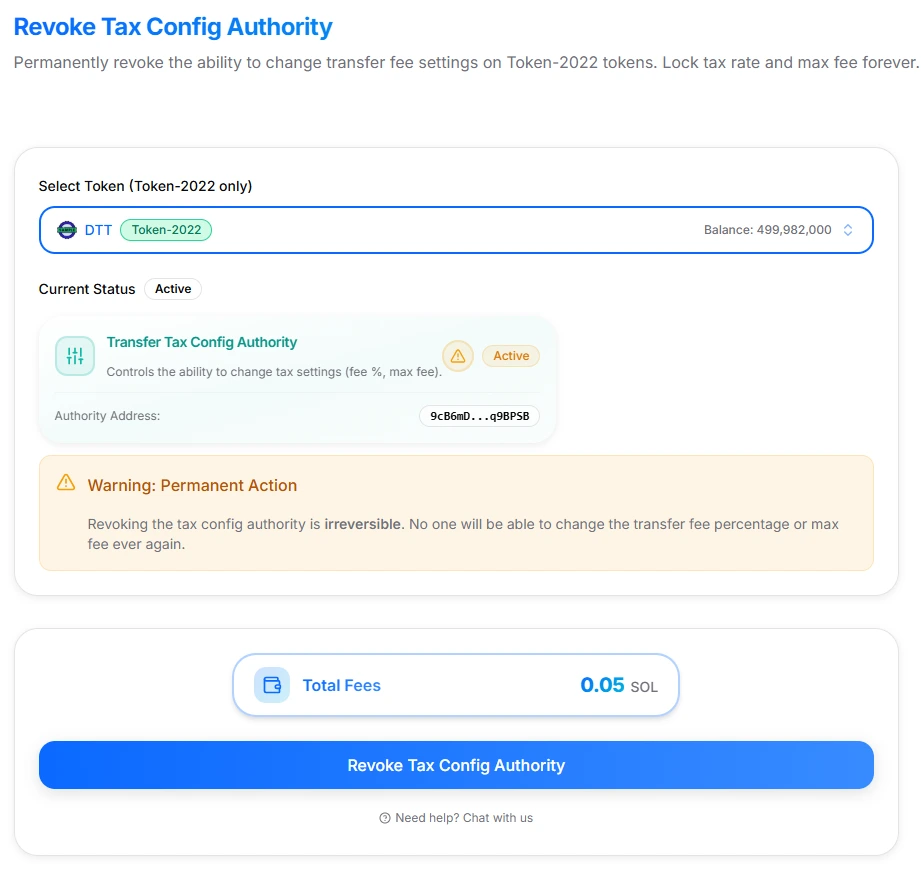
Revoke Tax Config Authority interface with token selected
- Review the cost and summary
- Confirm the one-time platform fee (0.05 SOL) and network fees.
- Confirm that you understand the action is permanent.
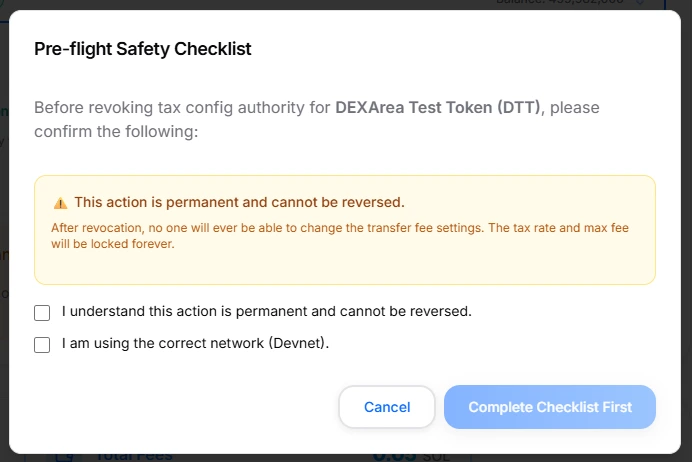
Pre-flight checklist before revoking
- Confirm & sign
- Complete the checklist in the UI (acknowledge irreversibility, verify network, etc.).
- Approve the transaction in your wallet.
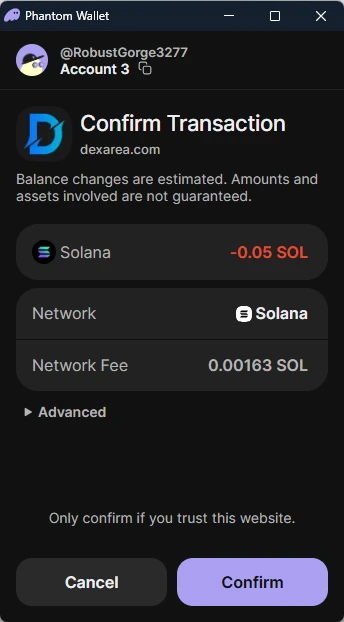
Phantom wallet confirmation for revoking tax config authority
- Verify on-chain
- After confirmation, use a Solana explorer to verify that the transfer fee config authority on the mint is now
None(or equivalent “revoked” state). - From this point forward, tax settings cannot be changed.
- After confirmation, use a Solana explorer to verify that the transfer fee config authority on the mint is now
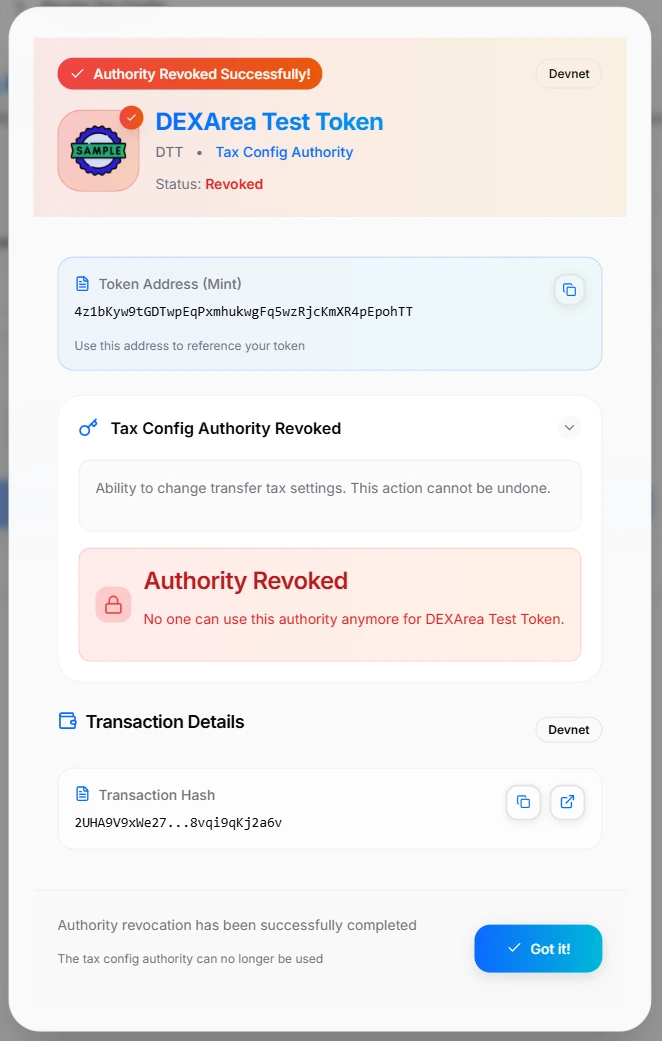
Revoke Tax Config Authority success modal
6. Interface & Inputs
The DEXArea Revoke Tax Config Authority tool is structured around a minimal but safety-focused interface.
A. Token Selector
- Select Token (Token-2022 only)
- Lets you pick a Token-2022 mint from your wallet or paste a mint address.
- Only tokens with the TransferFeeConfig extension and an active config authority are eligible.
If the token is not Token-2022, doesn’t have transfer fees, or the config authority is already revoked, the tool will prevent you from proceeding.
B. Summary Panel
-
Network indicator — Shows whether you are on Mainnet or Devnet. Always confirm you are on the network you intend to modify.
-
Total Fees — Shows:
- Platform fee: 0.05 SOL for this action
- Network fee (approx., finalized in your wallet prompt)
-
Primary action button
Revoke Tax Config Authority- Enabled only when:
- A valid token is selected, and
- Your wallet is the current config authority.
C. Informational Sections
The page includes educational content to avoid misuse:
-
About Tax Config Authority — Explains what the transfer fee config authority is and what it can change.
-
Token-2022 Only — Clarifies that regular SPL tokens don’t support transfer fee config authority and cannot use this tool.
-
Important Notes
- Action is permanent and irreversible.
- Fee settings cannot be changed afterwards.
- Only the current config authority can revoke itself.
These sections help ensure you understand the implications before you sign any transaction.
7. Step-by-Step: Revoking Tax Config Authority Safely
Here is the process in more detail:
-
Confirm your current fee settings
- Check your token’s current transfer fee and max fee via:
- DEXArea tools, or
- A Solana explorer that supports Token-2022.
- If you need to adjust them, use Change Tax Settings first and wait until the desired configuration is effective.
- Check your token’s current transfer fee and max fee via:
-
Connect the correct wallet
- Use the wallet that holds the transfer fee config authority:
- This might be:
- Your personal wallet
- A project multisig
- A governance program executor wallet
- This might be:
- If you connect a wallet without authority, the tool will not allow revocation.
- Use the wallet that holds the transfer fee config authority:
-
Select the token mint
- Choose or paste the mint address.
- The tool:
- Confirms the token uses Token-2022 and transfer fees.
- Verifies your wallet is the config authority.
-
Review the pre-flight checklist Typical checklist items:
- You understand this action is permanent and cannot be undone.
- You have verified you’re on the correct network (Mainnet vs Devnet).
- You have taken any screenshots or notes you want of the current configuration.
-
Review fees and confirm
- The UI shows:
- Platform fee: 0.05 SOL
- Expected network fees
- Ensure your wallet has enough SOL.
- The UI shows:
-
Sign the transaction
- Your wallet will prompt you with:
- Program ID (Token-2022)
- Instructions to clear the transfer fee config authority
- Read the prompt carefully, then sign only if everything matches your expectation.
- Your wallet will prompt you with:
-
Verify success
- After confirmation, use a Solana explorer or another tooling to:
- Inspect the mint account.
- Confirm that the transfer fee config authority field is now
None/ revoked.
- After confirmation, use a Solana explorer or another tooling to:
Once verified, your token’s tax settings are effectively frozen.
8. Risks & Irreversibility
This tool operates at the authority level. Misuse can permanently lock you into an unwanted configuration.
Key risks:
-
No further tax changes possible — After revocation, you can no longer:
- Increase or decrease the transfer fee percentage
- Change the max fee per transfer
- The only way to “change” tax behavior in the future would be to create a new token and migrate.
-
Interaction with 2-epoch delay — Token-2022 applies a 2-epoch delay for new fee configurations. If you revoke the config authority while a change is pending or mid-transition, you may end up with an unintended final configuration. Best practice:
- Apply your desired configuration first.
- Wait until it is fully active.
- Then revoke the config authority.
-
Network confusion (Devnet vs Mainnet) — Revoking on the wrong network does nothing for the real token you care about, but wastes SOL and can cause confusion. Always check the network indicator and your RPC configuration.
-
No reversal via support — This operation uses standard Token-2022 instructions. Neither DEXArea nor Solana validators can undo a successful on-chain revoke.
For these reasons, treat this tool as a finalization step, not something you test casually on production tokens.
9. Troubleshooting
”My token doesn’t appear in the selector”
Possible reasons:
- The token is a standard SPL token, not Token-2022.
- The token does not use the TransferFeeConfig extension.
- You have selected the wrong network (e.g., Devnet instead of Mainnet).
- The mint is not associated with your current wallet in any way, and you need to paste the mint address manually.
”The tool says I’m not the tax config authority”
- The transfer fee config authority:
- Might have been transferred to another address (e.g., multisig or governance contract).
- Might already be revoked (
None) from a previous operation.
- To proceed, you must:
- Connect the current authority wallet, or
- Confirm that it is already revoked (in which case you don’t need this tool anymore).
”The transaction failed”
Common causes:
- Insufficient SOL for:
- The 0.05 SOL platform fee
- Network and priority fees
- Network congestion:
- Try again later or increase priority fees if your wallet supports it.
- The mint’s state changed between selection and signing:
- For example, someone else changed authorities or configuration.
- Reload the page and recheck token eligibility.
10. FAQ
What exactly does “revoke tax config authority” do?
It clears the transfer fee config authority field on a Token-2022 mint that uses transfer fees. Once cleared, no further updates to transfer fee percentage or max fee can be made.
How is this different from “Revoke Tax Withdraw Authority”?
- Revoke Tax Config Authority — Locks the ability to change tax parameters (fee % and max fee).
- Revoke Tax Withdraw Authority — Locks the ability to withdraw accumulated withheld fees from token accounts.
They control different aspects of the transfer fee extension. You can choose to revoke one, both, or neither depending on your token’s design.
Should I set tax to 0% instead of revoking?
It depends on your goals:
- Setting tax to 0%: Makes transfers effectively tax-free, but still allows future increases (which your community may see as risky).
- Revoking config authority: Freezes the current parameters (including 0% if that’s what you set), cannot be undone, and is often seen as a stronger trust signal for long-term holders.
Can I re-enable the tax config authority later?
No. Once revoked, there is no supported way to restore the transfer fee config authority for that mint.
Can I still collect tax fees after revoking config authority?
Yes, as long as:
- Transfer fees are enabled, and
- You still have the withdraw authority for withheld fees.
Revoking config authority affects the ability to change tax settings, not the ability to withdraw already-collected fees.
11. Related Tools & Further Reading
Related DEXArea Tools
-
Change Tax Settings — Adjust transfer fee percentage and max fee for Token-2022 tax tokens before finalizing.
-
Claim Tax Fees — Harvest and claim withheld transfer fees from Token-2022 tokens to your wallet.
-
Revoke Tax Withdraw Authority — Lock the ability to withdraw withheld fees.
-
Transfer Authority — Move token authorities (including tax config authority) to another wallet or multisig instead of revoking them.
Recommended Wiki Articles
-
Token 2022 — How Token-2022 extensions work and what they enable.
-
Token Authorities Explained — Detailed breakdown of mint, freeze, update, tax config, and withdraw authorities.
Use Revoke Tax Config Authority only when you are ready to make your tax settings permanent and have fully evaluated the long-term impact on your project and holders.