
Revoke Tax Withdraw Authority on Solana: Guide
Introduction
The DEXArea Revoke Tax Withdraw Authority tool lets you permanently remove the withdraw-withheld authority for Token-2022 transfer fees.
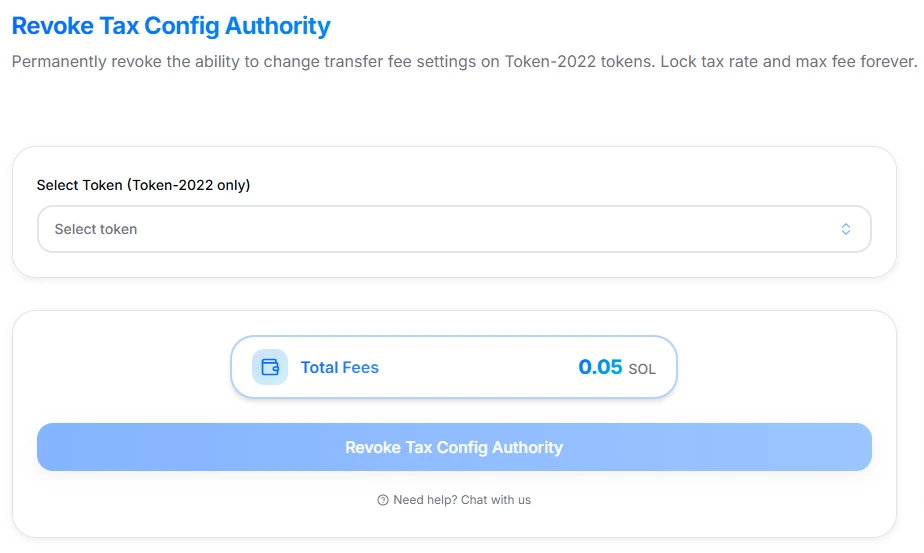
Revoke Tax Withdraw Authority interface
On Token-2022 “tax tokens,” transfer fees are collected and stored as withheld fees. The withdraw-withheld authority is the only party that can harvest those fees and move them to a destination account. Revoking this authority means:
- No one can withdraw withheld fees ever again
- Existing withheld fees remain stuck and unclaimable
This guide explains what the tool does, how it interacts with the Token-2022 Transfer Fee extension, when you might want to use it, and the risks involved. It is technical documentation only and not financial or investment advice.
1. What the Tool Does
The Revoke Tax Withdraw Authority tool:
- Works with Token-2022 tokens that use the TransferFeeConfig extension (transfer fees).
- Verifies that:
- The selected mint is Token-2022 with transfer fees enabled
- Your connected wallet currently holds the withdrawWithheldAuthority
- Builds a transaction that sets the withdraw-withheld authority to
Nonefor that mint - After success:
- No wallet, program, or multisig can withdraw withheld fees
- Any current and future withheld fees are permanently locked
Pricing:
- Platform fee: 0.05 SOL (one-time for the revoke action)
- Network fees: Standard Solana transaction / priority fees, shown in your wallet before you sign
Use this when you intentionally want fee collection to continue (or not), but fee withdrawal to be impossible.
2. Background: Withdraw Withheld Authority (Token-2022)
Token-2022 transfer fees work roughly like this:
- On each transfer, a fee in tokens is calculated based on:
feeBasisPoints(percentage) andmaxFee(upper cap per transfer)
- Instead of sending fees to a separate address immediately, parts of the transfer are marked as withheld in token accounts or mint-level extension data.
- The withdrawWithheldAuthority is the authority that can later:
- Aggregate and withdraw the withheld fees to a destination account
- Using instructions such as
withdrawWithheldTokensFromMint/withdrawWithheldTokensFromAccountsin the Token-2022 program.
In this model:
- Transfer fee config authority controls fee parameters (percentage & max fee)
- Withdraw-withheld authority controls the ability to harvest collected fees
This tool targets only the second one: the withdraw-withheld authority.
3. Why Revoke Tax Withdraw Authority?
Common reasons:
-
You want fees to be “pure burn / sink” instead of revenue — After revocation, withheld fees accumulate but cannot be withdrawn. Depending on your design, they effectively act as a supply sink or permanently locked balances.
-
You want to prove no one can harvest tax revenue — Holders can verify on-chain that:
- The withdraw-withheld authority is
None - No central party can redirect fees to themselves later
- The withdraw-withheld authority is
-
Compliance or internal policy — Your tokenomics or rules may require that:
- Transfer fees exist for technical reasons, but
- No one can personally profit from them via withdrawals
-
Hardening the token’s trust profile — Similar to revoking mint or freeze authority, revoking tax withdraw authority removes a powerful control surface from your token.
If you plan to keep using transfer fees as project revenue, reward mechanism, or buyback fund, you probably should not revoke this authority. In that case, use Claim Tax Fees regularly instead.
4. What You Need Before Using This Tool
To use Revoke Tax Withdraw Authority safely, you must have:
-
A Token-2022 mint with transfer fees enabled — The mint must:
- Use the Token-2022 program
- Have the TransferFeeConfig extension active
-
Withdraw-withheld authority in your wallet — The connected wallet must be the current
withdrawWithheldAuthorityfor that mint. -
Enough SOL for fees
- 0.05 SOL platform fee
- Network and priority fees for the transaction
-
A decision about existing withheld fees
- If you want any withheld fees, claim them first using your tax fee claim tool
- After revoking, you lose all ability to withdraw any remaining or future fees
5. Quick Start
-
Open the tool — Go to Revoke Tax Withdraw Authority.
-
Connect your wallet — Use the wallet that currently holds the tax withdraw (withdraw-withheld) authority.
-
Select your token
- Choose the Token-2022 mint with transfer fees you want to lock.
- Only tokens with TransferFeeConfig and an active withdraw authority are eligible.
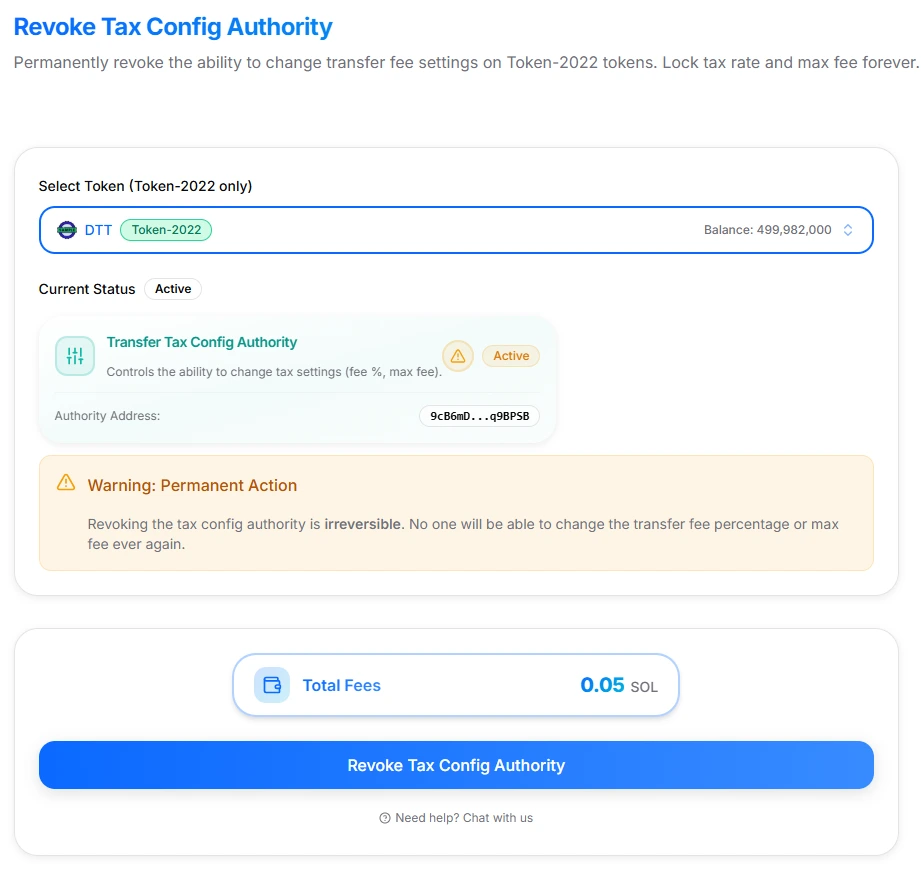
Revoke Tax Withdraw Authority interface with token selected
-
Review the cost and warnings
- One-time platform fee: 0.05 SOL
- Network fee estimate
- “Permanent & irreversible” warning
-
Complete the checklist Confirm you:
- Understand that withheld fees can never be withdrawn
- Are on the correct network (Mainnet vs Devnet)
- Have already claimed any fees you want
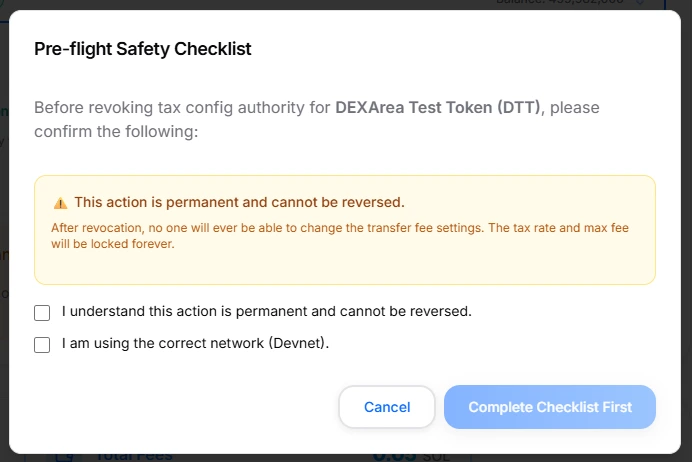
Pre-flight checklist before revoking
- Sign the transaction in your wallet
- Your wallet shows the Token-2022 program and revoke instruction
- Verify details, then sign
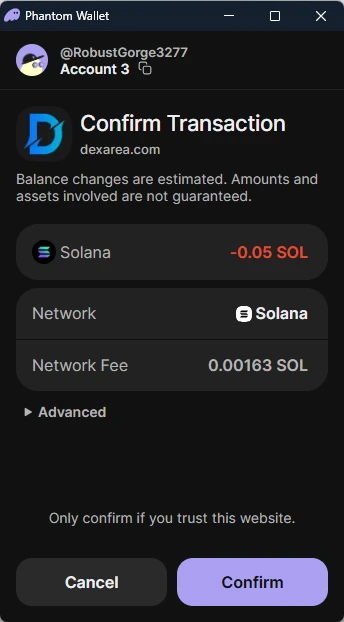
Phantom wallet confirmation for revoking tax withdraw authority
- Verify on-chain
- Check the mint in a Solana explorer
- Confirm the withdraw-withheld authority field is now
None/ revoked
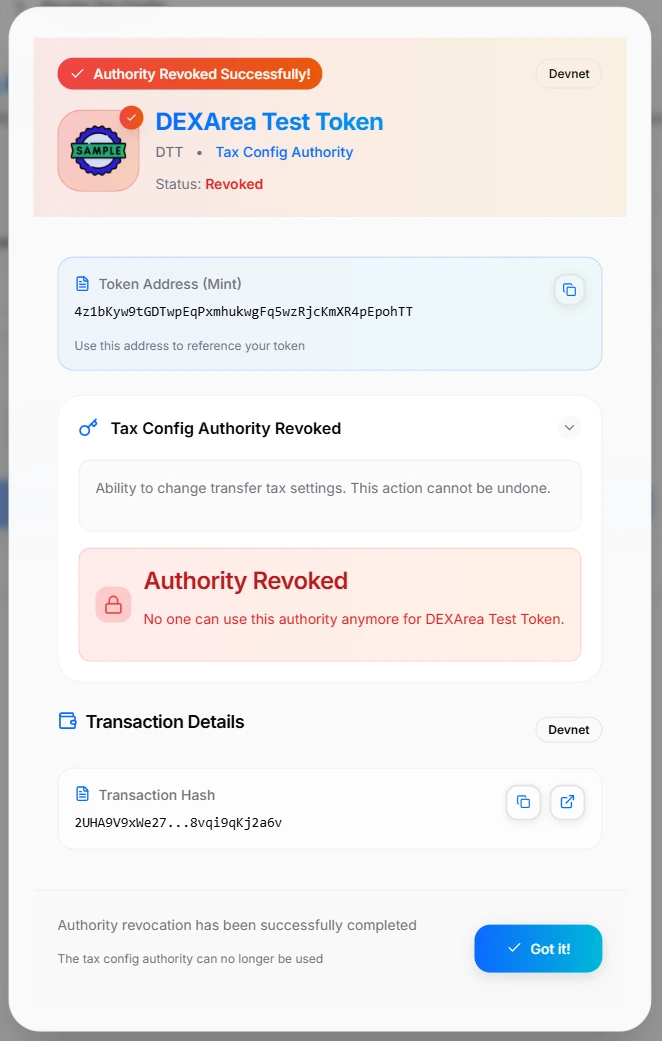
Revoke Tax Withdraw Authority success modal
6. Interface & Inputs
The DEXArea tool UI is intentionally minimal, with most of the complexity behind a safety checklist.
A. Token Selector
- Select Token (Token-2022 only)
- Lets you choose from your tokens or paste a mint address
- Filters to Token-2022 tokens with transfer fees and non-null withdraw authority
If the token is SPL-classic or doesn’t use transfer fees, the tool will block progression.
B. Summary Panel
-
Network indicator — Shows whether you are on Mainnet or Devnet. Double-check before revoking anything important.
-
Total Fees
- Platform fee: 0.05 SOL
- Network fee: depends on congestion and chosen priority
-
Primary action button
- Label:
Revoke Tax Withdraw Authority - Enabled only when:
- A valid token is selected
- Your wallet is detected as the current withdraw authority
- Label:
C. Informational Sections
The tool page includes:
-
About Tax Withdraw Authority — Short explanation of what it is and what revoking does.
-
Token-2022 Only — Clarifies that SPL tokens without transfer fees are not supported.
-
Important Notes
- Action is permanent and irreversible
- Withheld fees can never be withdrawn afterwards
- Only the current withdraw authority can revoke itself
7. Step-by-Step: Revoking Tax Withdraw Authority
Detailed flow:
-
Audit your fee setup
- Confirm:
- You understand your current transfer fee % and max fee
- You’ve decided what to do with existing withheld fees
- If you want to collect them, use your Claim Tax Fees / withdraw tool first, then return here.
- Confirm:
-
Connect the correct wallet
- Connect the wallet that is the withdrawWithheldAuthority:
- Could be a personal wallet
- A multisig
- A governance executor wallet
- Connect the wallet that is the withdrawWithheldAuthority:
-
Select the mint
- Use the selector or paste the mint address
- The tool verifies:
- Token is Token-2022
- Transfer fees are enabled
- Your wallet matches withdraw authority
-
Review the pre-flight checklist Expect items like:
- “I understand this action is permanent and cannot be undone.”
- “I confirm I am on the correct network (Mainnet/Devnet).”
- “I have claimed any withheld fees I want to keep.”
-
Review fees
- Platform fee: 0.05 SOL
- Estimated network fee visible in the UI and your wallet
-
Sign the transaction
- Your wallet will show:
- Token-2022 program ID
- Instruction to clear withdraw-withheld authority
- Read, then sign only if everything matches your intent.
- Your wallet will show:
-
Verify
- Use a Solana explorer:
- Inspect mint account’s extensions
- Confirm
withdrawWithheldAuthority(or equivalent field) is now null
- Use a Solana explorer:
After that, there is no way back.
8. Risks & Irreversibility
This tool is powerful and very easy to misuse if you’re not awake.
Key risks:
A. Withheld Fees Become Unclaimable
After revocation:
- Existing withheld fees stuck in accounts or mint extensions cannot be withdrawn
- Future transfers still obey fee rules, but fees become permanent locked balances, depending on how the protocol treats them
- For your project, that means losing a potential revenue or utility stream
B. No On-Chain “Undo”
- Revoke = set authority to
None - There is no supported mechanism to later re-assign a withdraw authority when it has been revoked (as opposed to just transferred)
If you realize later that you need withdraw control, your only option is a new token with redesigned tokenomics.
C. Network & Deployment Confusion
- Accidentally revoking on Devnet when you meant Mainnet:
- Harmless to your main token, but wastes SOL and may confuse team members
- Accidentally revoking on Mainnet when you meant to test on Devnet:
- Very much not harmless
Always verify network and mint address before signing.
D. Combined with Other Revocations
Projects often revoke multiple authorities:
- Mint authority
- Freeze authority
- Tax config authority
- Tax withdraw authority
This can be great for trust, but if you hit all of them without a plan, you end up with a completely rigid asset that cannot be adjusted for any future scenario.
9. Troubleshooting
”My token isn’t available in the selector”
Likely causes:
- It’s a standard SPL token, not Token-2022
- The mint does not use the TransferFeeConfig extension
- The withdraw-withheld authority is already
None - You’re on Devnet, but your token exists only on Mainnet (or vice versa)
“The tool says I’m not the tax withdraw authority”
This means:
- The withdraw-withheld authority was set to another wallet, multisig, or program
- Or it has already been revoked in the past
To proceed, you must:
- Connect the current withdraw authority wallet, or
- Confirm that revocation has already been done and nothing remains to do
”Transaction failed”
Common reasons:
- Insufficient SOL for:
- 0.05 SOL platform fee
- Network / priority fees
- Network congestion:
- Retry with higher priority fee if your wallet supports it
- State change mid-flight:
- Someone else altered the mint state between selection and signing
- Reload, re-select the token, and re-check eligibility
10. FAQ
What exactly is the Tax Withdraw Authority?
It is the withdrawWithheldAuthority for a Token-2022 mint’s transfer fee extension. This authority can withdraw fees that have been collected and withheld during transfers, using specific Token-2022 instructions.
How is this different from the Tax Config Authority?
- Tax Config Authority — Controls fee parameters (percentage and max fee)
- Tax Withdraw Authority — Controls the ability to withdraw collected fees
You can revoke one, both, or neither, depending on your design. Many projects:
- First finalize fee parameters
- Then revoke config authority
- Then decide later whether to keep or revoke withdraw authority
Does revoking tax withdraw authority stop fees from being collected?
No. Transfer fees are controlled by the TransferFeeConfig parameters and config authority. Revoking the withdraw authority only prevents the harvesting of those fees, not the collection itself.
Should I claim fees before revoking?
Almost always yes. Once you revoke:
- You cannot withdraw previously collected fees
- You cannot withdraw future fees either
If you want any of that value, claim it first.
Can I re-enable tax withdraw authority later?
No. Revocation sets the authority to None. There is no built-in workflow to set it back to a key later.
If you want another party to manage fee withdrawals in the future (e.g., a DAO), use Transfer Authority to move it to them instead of revoking.
11. Related Tools & Wiki Articles
Related DEXArea Tools
-
Claim Tax Fees — Withdraw withheld transfer fees from Token-2022 tokens before you revoke.
-
Change Tax Settings — Adjust the fee percentage and max fee on Token-2022 tokens.
-
Revoke Tax Config Authority — Permanently lock transfer fee parameters (fee % and max fee).
-
Transfer Authority Guide — Move any token authority (including tax withdraw authority) to another wallet or multisig instead of revoking it.
-
Revoke Mint / Freeze / Update Authority — Lock supply, freeze controls, and metadata updates for stronger security.
Recommended Wiki Articles
-
Token Authorities Explained — Full breakdown of mint, freeze, update, tax config, and tax withdraw authorities.
-
Token 2022 — How token extensions like transfer fees, interest, and others work.
Use Revoke Tax Withdraw Authority as a final step when you have a clear, long-term reason to make withheld fee withdrawals impossible and you’ve already claimed everything you care about.