Complete Guide to Solana Airdrop Tools: Bulk SPL Token Distribution
Complete guide to Solana airdrop tools and bulk token distribution. Learn how to distribute SPL and Token-2022 tokens efficiently, prepare wallet lists, review fees, and avoid common mistakes.
Complete Guide to Solana Airdrop Tools: Bulk SPL Token Distribution
Introduction
Before using any multisender, always review the total token amount, recipient count, network fees, associated token account costs, and any platform or service fee shown in the interface. DEXArea is non-custodial: your private keys stay in your wallet and every transaction must be approved by you.
This guide explains how bulk distribution works on Solana, how DEXArea’s workflow fits in, what costs to review, and how to run safer airdrops and reward campaigns.
Pricing and fees can change. Always rely on the live DEXArea interface for current service fees, network fee estimates, and transaction details before signing.
What Is a Token Multisender and Why You Need It
Manual vs automated distribution
Sending tokens one wallet at a time is slow and error-prone. A multisender automates one-to-many transfers on Solana so you can focus on list quality, eligibility rules, and fee review instead of repeating the same transaction hundreds of times.
Key use cases
- Community airdrops and campaign rewards
- Presale or partner allocations
- Team or contributor payments
- Holder rewards after a snapshot
An SPL token multisender supports these workflows when you already hold the token and a clean recipient list.
Why Solana?
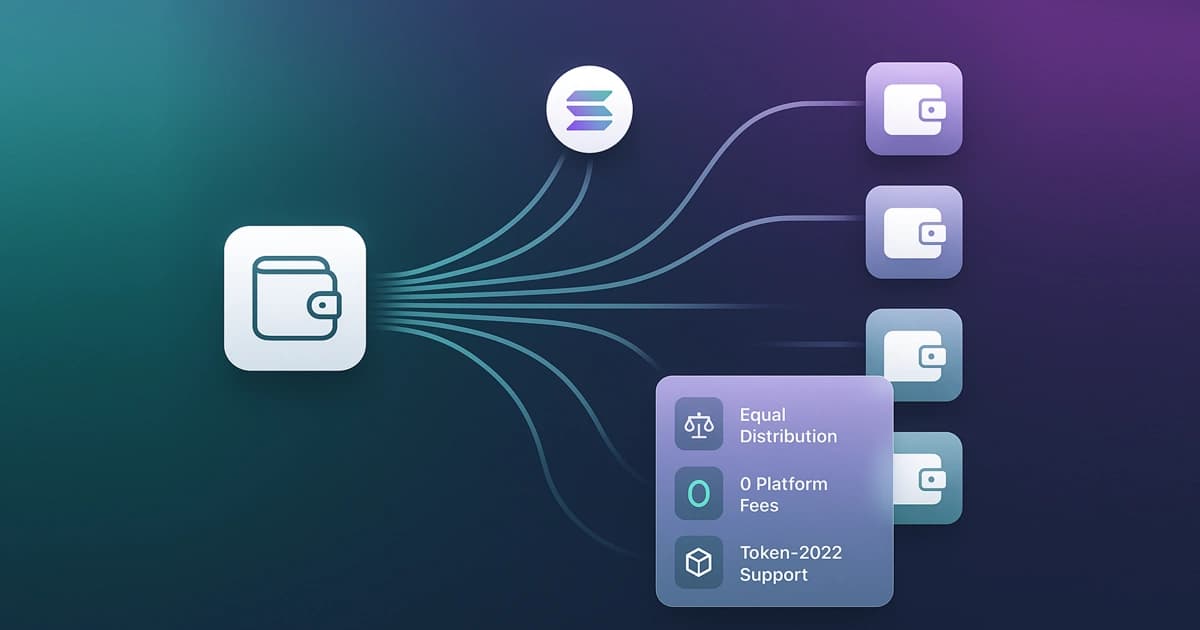
Solana’s throughput and relatively low network fees suit batched distributions. With support for standard SPL tokens and Token-2022, you can distribute many modern token types—always verify mint address and token program in the tool before signing.
How DEXArea's Multisender Works – At a Glance
- Connect your Solana wallet (e.g. Phantom, Solflare).
- Select your token by mint address (SPL or Token-2022).
- Upload or paste recipient wallet addresses (CSV or one per line).
- Enter amounts per your distribution mode (see below).
- Review the summary: recipient count, total tokens, estimated network costs, ATA-related costs where applicable, and any service fee shown in the interface.
- Sign the transaction(s) from your wallet after you confirm every detail.
DEXArea provides a guided multisender workflow. Before signing, review recipient count, total token amount, estimated network fees, possible associated token account costs, and any service fee displayed by the tool.
Distribution modes: equal vs variable amounts
- Equal distribution — Every address receives the same amount. Straightforward for uniform airdrops and rewards. Confirm this mode matches what the live interface supports for your campaign.
- Variable distribution — Different amounts per wallet (often via
wallet,amountCSV). If available in the interface, validate decimals and totals carefully; if not available, plan equal sends or split campaigns.
Do not assume a feature is live until you see it in the current DEXArea UI. When in doubt, test with a small batch first.
Scalability and reliability
Large recipient lists usually require batching to stay within Solana transaction size and compute limits. There is no guarantee of a single click for every list size.
- Very large campaigns may need multiple signed transactions and more wall-clock time.
- Network congestion and RPC behavior can affect confirmation speed.
- Test with 1–3 wallets before a full send: verify mint, network, decimals, and recipient balances.
Automatic batching helps, but plan for retries on failed batches and save transaction signatures for audit.
Transaction tracking, error handling, and transparency
Monitoring and summaries
After you submit a distribution, review summaries that show successful and failed addresses and links to explorers (e.g. Solscan) where provided. Keep records for community updates and internal audit.
Common failure triggers
- Insufficient SOL for network fees, service fees, or ATA creation
- Invalid or duplicate addresses in the list
- Wrong mint, wrong network, or wrong wallet connected
- Batches too large for current limits
Retry only failed batches after fixing the underlying issue. Do not resend to wallets that already received tokens unless that is intentional.
Safety practices
- Never upload private keys or seed phrases—only public recipient addresses and amounts.
- Verify token mint address and network (mainnet vs devnet).
- Save transaction signatures and review failed batches before retrying.
- Read the full transaction in your wallet before approving.
Fee structure: what costs should you review?
Bulk token distribution can involve several cost components. Before signing, review:
- Solana network transaction fees
- Associated token account creation costs, if some recipients do not already have an account for the token
- Any DEXArea service or platform fee shown in the interface
- The total token amount being sent
- The number of recipients and how many batches you will sign
Costs can vary depending on recipient count, token account state, batching, wallet behavior, and current network conditions. Always review the final transaction details in your wallet before signing.
Pricing and fee transparency: Fees and estimates shown in the app can change. Treat blog examples as general guidance only; the live multisender UI and your wallet prompt are the source of truth.
Best practices and use-case scenarios
Preparing your address list
- One wallet address per row (or CSV with wallet and amount if variable mode is supported).
- Deduplicate addresses unless double sends are intentional.
- Validate format; remove blank or malformed rows.
- Cross-check mint and decimals with View token metadata.
Test batch first
Send to 1–3 wallets, wait for confirmation, and verify balances on an explorer. Then scale up. This reduces wasted SOL on failed full batches and catches decimal mistakes early.
Ensuring coverage
- Hold enough tokens for the full planned distribution.
- Hold enough SOL for network fees, possible ATA costs, and any service fee indicated in the UI.
Planning for engagement
- Publish eligibility rules and snapshot timing when relevant.
- Avoid promising guaranteed returns; distributions are operational, not investment offers.
Post-distribution audit
- Archive transaction signatures and batch summaries.
- Spot-check recipients and communicate completion when appropriate.
Limitations and expectations
- List size, batching, and supported distribution modes depend on the current multisender interface.
- Highly customized vesting or tiered schedules may need custom tooling or support beyond a standard multisender.
- Failed transactions can still consume network fees; fix lists before large retries.
Why use DEXArea for bulk token distribution?
DEXArea focuses on a practical, wallet-based workflow for Solana token distribution:
- Non-custodial — Your wallet signs; keys are not held by DEXArea.
- SPL and Token-2022 support (verify mint in UI).
- Recipient list upload or paste workflow.
- Automatic batching for larger lists.
- Transaction tracking and visibility into failed batches for retries.
- Clear review step before signing.
- Suited to airdrops, team allocations, presale fulfilment, and community rewards when you prepare lists responsibly.
Deep dive resources
- Understanding SPL: multisender and airdrop concepts
- Airdrop strategies on Solana
- How to snapshot Solana token holders for holder-based lists
FAQ
What fees should I expect when using a Solana token multisender?
Review platform or service fees (if shown), Solana network fees, and SOL for associated token account creation when recipients lack an ATA for your mint. DEXArea surfaces relevant details before you sign; your wallet shows the final transaction.
Is a token multisender the same as an airdrop?
No. The airdrop is the campaign and eligibility rules; the multisender executes transfers from your prepared list.
Can I send different amounts to different wallets?
Depends on modes available in the live interface. Use CSV with amounts when supported; always verify decimals and totals.
Do recipients need associated token accounts?
Not always in advance. Creation may happen on first receive, often at the sender’s cost—check estimates in the UI.
Why did my bulk send fail?
Common causes: insufficient SOL, bad addresses, wrong mint/network, or batch size limits. Fix the list and retry failed batches only.
Should I test with a small batch first?
Yes. One to three wallets first, then the full campaign.
Does DEXArea support Token-2022?
Yes for supported tokens in the interface—confirm mint and program before signing.
What if some transactions fail?
Use the summary to retry failed batches; save signatures and do not double-pay successful recipients unless intended.
Conclusion
DEXArea Token Multisender helps Solana projects organize token distribution from a wallet-based interface. Whether you are sending rewards, presale allocations, or a community airdrop, the essentials are the same: prepare a clean recipient list, verify token amounts and mint address, review all fees in the live UI, test with a small batch, and sign only after checking the transaction in your wallet.
Disclaimer
This guide is for educational purposes only and is not financial, legal, or tax advice. Token distributions involve real funds and operational risk. Fees, features, and estimates can change—always use the live DEXArea interface and your wallet transaction preview before signing. DEXArea is non-custodial: your private keys stay in your wallet.