How to Get Your Solana Token on DEX Screener
Learn how a Solana token appears on DEX Screener, why a new token may not show yet, and how liquidity pools, transactions, and token information affect visibility.
How to Get Your Solana Token on DEX Screener
Token or pair visibility and profile information (description, social links, enriched branding) are different concepts. Your pair can be searchable while logo or description details are still incomplete.
Token exists vs token is tradeable
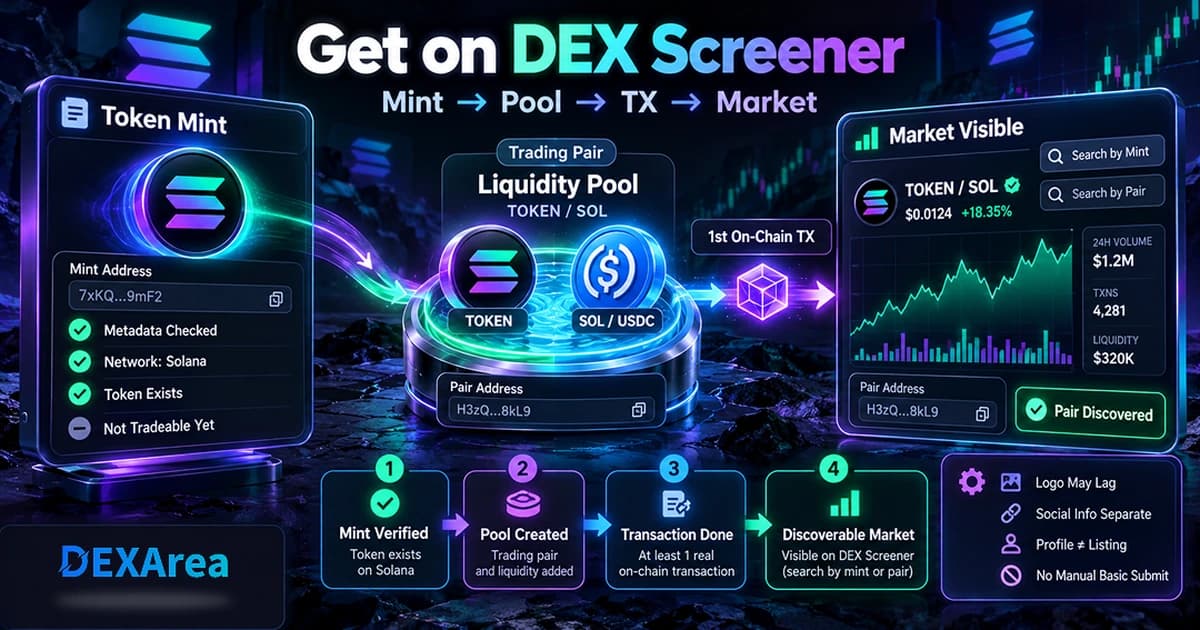
DEX Screener discovers markets, not bare mints. Think in stages:
- Token mint exists — the SPL or Token-2022 mint is on-chain. Wallets can hold it, but there is still no DEX market.
- Liquidity pool / trading pair exists — your token is paired with SOL, USDC, or another asset in a pool.
- Trading activity occurs — at least one genuine on-chain transaction hits that pair.
- DEX Screener can discover and display the market — under its documented automatic-listing rule.
Minting alone never creates a tradeable market. A pool without any transaction also falls short of the official automatic-listing condition.
How to make a Solana token discoverable on DEX Screener
Keep this high-level. For full Raydium pool mechanics, use the dedicated pool guide linked below—not this page.
- Create or verify the token. Confirm the mint address you will share publicly. If you have not created the token yet, use the Solana Token Creator.
- Verify or finalize metadata. Check name, symbol, logo URI, and other fields so the mint you launch matches what you intend to show. Inspect the mint with View Metadata before launch.
- Create the liquidity pool / trading pair. Deposit both sides so a real market exists on-chain. For pool mechanics, follow the Raydium liquidity pool guide rather than repeating that walkthrough here.
- Make sure the pair has at least one genuine on-chain transaction. DEX Screener's documentation requires at least one transaction after the token is in a liquidity pool. Do not use wash trading, artificial volume, or fake activity.
- Search DEX Screener by mint, name, symbol, or pair address. Prefer the exact mint or pair address when names or tickers collide.
Why your Solana token may not show yet
| Problem | What to verify |
|---|---|
| No liquidity pool | Confirm a real trading pair exists for your mint on the intended DEX. |
| No transaction yet | Official DEX Screener listing requires at least one transaction after the token is in a pool. |
| Wrong token or address | Double-check the Solana mint address or pair address you are searching. |
| Wrong network | Confirm you are looking at the intended Solana market (for example mainnet vs a test environment). |
| Pool transaction failed or not completed | Verify the pool actually exists on-chain and the creation transaction finalized. |
| Pair visible but logo or social information incomplete | Listing and token-profile information are different concerns—see the next section. |
This table sticks to causes you can verify. It does not invent a guaranteed indexing delay, a fixed wait time, a minimum liquidity amount, or a minimum volume threshold, because DEX Screener's Token Listing documentation does not state those rules.
Logo, description, and social information
Basic token or pair listing ≠ profile information.
DEX Screener's documentation says it automatically looks for token information from external token lists such as CoinGecko. When a token is present on such a list, that information can appear on DEX Screener. Enhanced Token Info is a separate DEX Screener mechanism for token information.
DEX Screener vs CoinGecko
| Platform | How listing works (high level) |
|---|---|
| DEX Screener | Automatic discovery of DEX trading pairs according to its Token Listing documentation (liquidity pool + at least one transaction). |
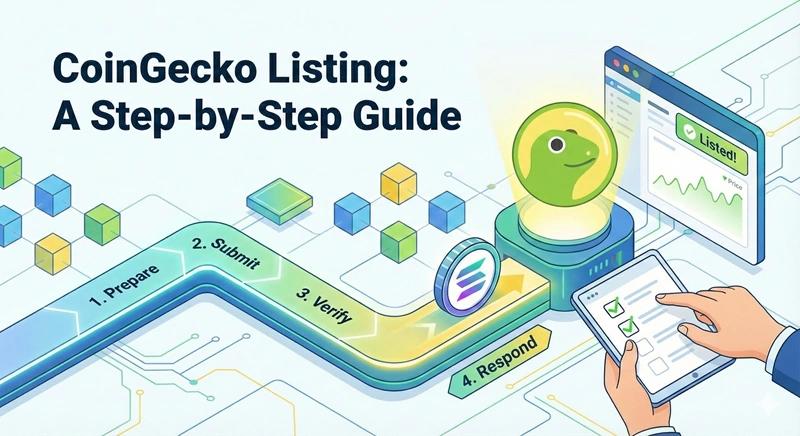
| CoinGecko | A separate listing / application workflow with its own requirements. |
Pre-troubleshooting checklist
Before you dig deeper, confirm:
- Correct Solana mint address
- Correct network
- Liquidity pool / trading pair exists
- At least one transaction has occurred on that pair
- Pair / pool transaction actually completed on-chain
- Token metadata checked
- You searched by mint or pair address (not only a common ticker)
FAQ
How this guide is maintained
- Last updated: September 27, 2026
- Primary source: DEX Screener official Token Listing documentation
- Platform behavior can change. DEX Screener's documentation is authoritative for its listing behavior. This guide is informational only; DEXArea is not affiliated with DEX Screener.