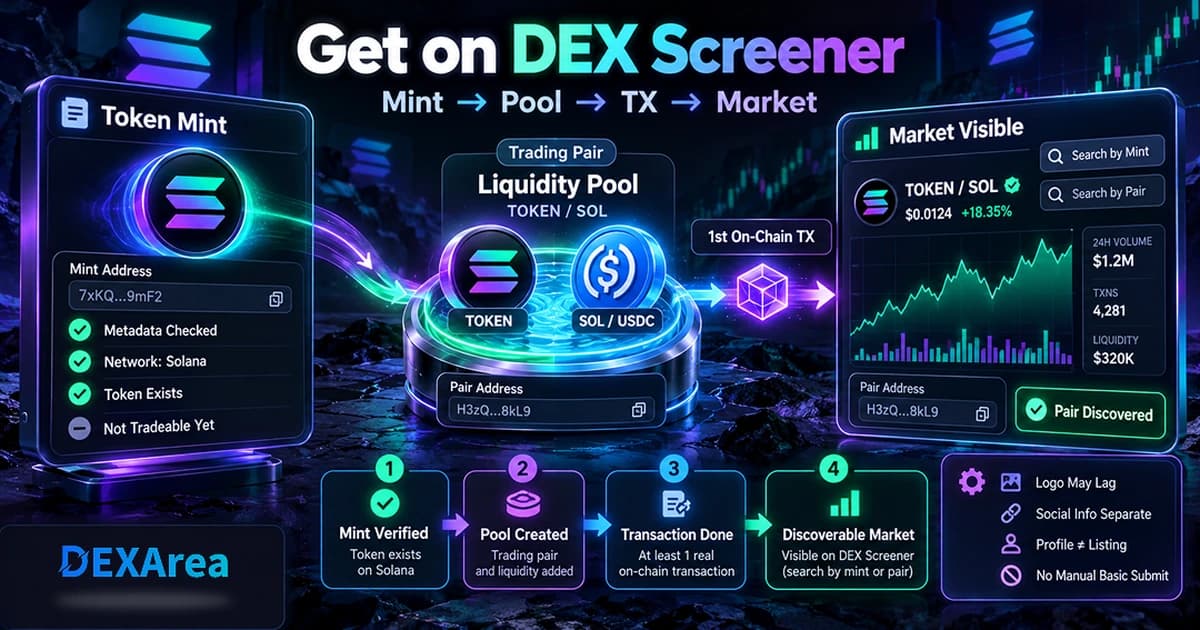
How to Create a Liquidity Pool on Solana
Learn how to create a liquidity pool on Solana for your token. Understand pool pairs, initial liquidity, Raydium pools, LP tokens, and launch safety with the DEXArea Create Pool tool.
How to Create a Liquidity Pool on Solana
Introduction
Launching a new SPL token on Solana is only the first step. The next step is making that token tradable. A liquidity pool pairs your token with another asset and lets anyone buy or sell your token against that pool. Without this step users have no way to acquire your token, and even a well‑designed token with no trading venue may be perceived as unprepared. On Solana, Raydium is the main protocol for creating permissionless liquidity pools, and DEXArea provides a user‑friendly interface for launching them. This guide explains what liquidity pools are, what you need before creating one, how Raydium pool types differ, and how to create a pool from your wallet.
Ready to launch your pool? Use the
DEXArea Create Pool tool to create a Solana liquidity pool directly from your wallet.
TL;DR
- A liquidity pool is a smart contract holding two assets. Traders swap against that pool, so deeper liquidity reduces price slippage.
- Before creating a pool you need your token mint address, a quote asset (usually SOL or USDC), a wallet holding both tokens, and some SOL for fees.
- Raydium supports several pool models: standard (AMM/CPMM) pools for simple launches, and concentrated liquidity (CLMM) pools for advanced users.
- Initial liquidity amounts determine the starting price. A higher quote balance relative to your token produces a higher starting price, while low liquidity causes larger price swings.
- After creating a pool, liquidity providers receive LP tokens representing their share. LP tokens are required to remove liquidity later; burning them permanently locks liquidity.
- Always verify the network, token addresses, and the pool settings before confirming transactions in your wallet.
What Is a Solana Liquidity Pool?
A liquidity pool is a crowdsourced collection of tokens locked in a smart contract. Instead of matching buyers and sellers in an order book, a decentralized exchange lets traders swap against the pool. The pool removes the need for a counterparty because capital is aggregated into a contract that anyone can access. A typical pool holds two assets of equal value, such as a new meme coin and SOL or USDC. When someone buys your token, they deposit the quote asset (e.g. SOL) and remove your token from the pool; when they sell, the opposite happens. Code governs the pool, so liquidity is always available as long as the pool holds tokens.
The most common pricing algorithm is the constant product formula (often expressed as (x\times y=k)). Here (x) and (y) are the reserves of each token, and (k) is a constant that must remain unchanged during a swap. Swaps move along the curve defined by (k): as one reserve decreases, the other increases so that the product stays the same. This mechanism means the price of your token depends on the ratio between the two reserves and changes with every trade.
Liquidity pools democratize market making. Anyone can deposit assets to become a liquidity provider (LP) and earn fees from each trade. LPs receive LP tokens representing their share of the pool, which can later be redeemed for their portion of the reserves plus accumulated fees.
Why Your Solana Token Needs a Liquidity Pool
Without liquidity, your token remains illiquid — buyers cannot acquire it and sellers have no outlet to sell. A liquidity pool solves this by pairing your token with a known asset so that trading can occur. Deep liquidity reduces slippage; shallow liquidity causes large price swings with even small trades. A token launch without a liquidity plan can appear unprofessional and may discourage potential supporters. The pool also establishes an initial price based on the ratio of tokens deposited. Thoughtful pool design is therefore critical for a smooth launch.
What You Need Before Creating a Liquidity Pool
Use this checklist to ensure you have everything necessary before you attempt to create a pool. Failing to prepare may result in failed transactions or misconfigured pools.
- Token mint address – the unique address of your SPL token. Verify that it is correct and corresponds to the token you want to launch.
- Wallet holding the token – your wallet must hold enough of the base token to seed the pool. If your wallet has a different token account or the wrong decimals, pool creation may fail.
- Quote asset (e.g. SOL or USDC) – the second asset in the pair. Choose a quote token based on how you want users to think about your token (see next section).
- Amount of base token – decide how many of your tokens to deposit initially. The amount influences price and depth.
- Amount of quote token – deposit enough of the quote asset to create the desired starting price. More quote asset increases depth and reduces slippage.
- SOL for fees – you need SOL to pay transaction and rent fees during pool creation.
- Correct network – confirm whether you are on Mainnet, Devnet or Testnet. Pool creation is network‑specific; a pool on Devnet will not exist on Mainnet.
- Token authority decisions – decide whether to revoke the mint or freeze authority after launching. Our guides on revoking mint authority, revoking freeze authority and making the token immutable explain these options.
- Metadata checked – ensure that your token metadata is accurate and uploaded. Use our view token metadata tool to verify names, symbols and images.
Choosing the Right Pool Pair
Your quote asset will influence user perception and trading behavior. The most common pairs for Solana tokens are summarized below. Choose the pair that aligns with your project’s goals and audience.
| Pair | Best For | Notes |
|---|---|---|
| TOKEN/SOL | Meme or community launches | Familiar to Solana users; leverages the native SOL asset; price swings may be significant due to SOL volatility |
| TOKEN/USDC | Projects seeking a stable reference price | Stablecoin reduces price variance; useful when you need a predictable valuation |
| TOKEN/Other Token | Ecosystem‑specific integrations | Pairs with another token in your ecosystem; requires strong reasoning and sufficient liquidity on both sides |
Remember that the quote asset determines how traders think about your token. A SOL pair exposes holders to SOL’s volatility, while a USDC pair anchors the price around a stable value. Exotic pairs may confuse users and usually require deeper liquidity to remain functional.
Raydium Pool Types Explained
Raydium offers several pool designs. The right choice depends on your project’s maturity and the experience of your liquidity providers. Below is an overview of the main types.
AMM/Standard Pool
The standard Raydium pool is a constant product market maker (often called CPMM or AMM). It uses the x*y=k invariant described above. Liquidity is provided across the entire price range, and LPs deposit equal value of both tokens. Because the pool operates across all prices, LPs earn fees on every swap. This model is straightforward, passive and suitable for most token launches. The trade‑off is capital efficiency; liquidity is spread thinly across all price levels, which may result in higher slippage for large trades.
Constant Product Market Maker (CPMM)
CPMM pools are the classic AMM. They follow the constant product formula and require LPs to contribute equal value of both assets. CPMM pools are full‑range by default; they do not concentrate liquidity around a specific price. They are ideal for new token launches, long‑tail assets or anyone seeking a set‑and‑forget liquidity strategy. Because the pool always covers the full price spectrum, it continues to operate even when the token price moves dramatically.
Concentrated Liquidity (CLMM)
A CLMM pool allows LPs to provide liquidity only within a specific price range. By concentrating liquidity around an expected trading range, CLMM pools create deeper liquidity and lower slippage for large trades. However, this approach comes with trade‑offs:
- The tighter the selected price range, the more risk you take. When the price falls outside your range, your position becomes inactive and you earn no fees.
- If the price moves outside the range, you end up holding only one of the two tokens: the risky token if the price drops below the range, or the quote token if the price rises above it.
- You rarely deposit 50/50 value; your asset mix depends on the midpoint of your selected range.
- While fees per dollar invested may be higher than in CPMM pools, impermanent loss can be amplified. CLMM pools require active management and are better suited to experienced liquidity providers.
When selecting a pool type, consider your community’s sophistication, token volatility and the amount of liquidity you can commit. For most projects, starting with a standard or CPMM pool is sufficient. You can migrate or add a CLMM pool later if your token gains traction.
Step-by-Step: How to Create a Liquidity Pool on Solana
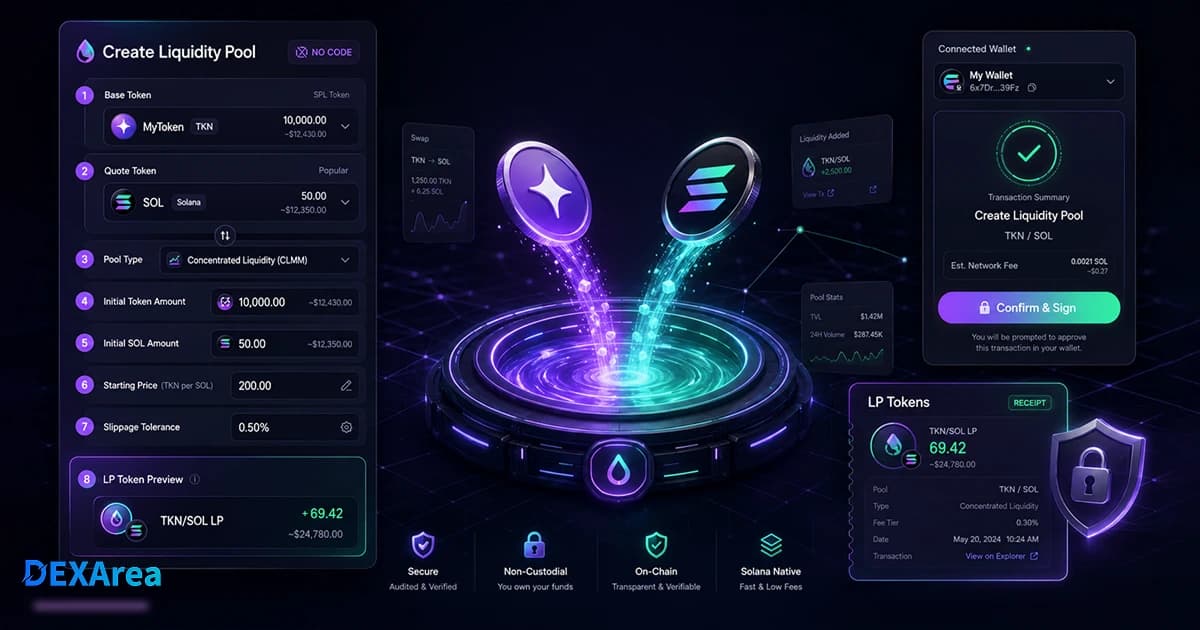
This section walks you through creating a Raydium pool using the DEXArea Create Pool tool. All transactions are prepared on DEXArea but signed in your wallet; your private keys never leave your wallet.
Step 1: Open DEXArea Create Pool
Step 2: Connect Your Wallet
Click Connect Wallet and choose your wallet provider. Your wallet may prompt you to select the network (e.g. Mainnet or Devnet). DEXArea is non‑custodial; it only prepares transactions. Always double‑check the wallet address and network before proceeding.
Step 3: Select Your Token
Step 4: Choose Quote Token
Select the quote asset to pair with your token. SOL and USDC are the most common choices. Remember that the quote token influences how users perceive the price and can affect slippage. For example, a USDC pair keeps the price reference stable, while a SOL pair ties your token’s price to SOL’s volatility.
Step 5: Enter Initial Liquidity Amounts
Specify the amount of your token (base) and the amount of the quote asset you want to deposit. The ratio of these amounts determines the initial pool price. For instance, pairing 1 million tokens with 10 SOL creates a starting price ten times higher than pairing the same amount with 1 SOL. The higher the quote liquidity, the deeper the pool and the lower the slippage. Conversely, too little liquidity can make the token price jump dramatically with each trade.
Step 6: Review Pool Type and Settings
Select the pool type (AMM, CPMM or CLMM) and review all settings. Confirm the network, the token pair and the initial liquidity values. Advanced pool types may offer additional settings, such as fee tiers or price ranges. Review these carefully.
Step 7: Confirm Transaction in Wallet
Click Create Pool. Your wallet will pop up with the transaction details. Review the address, network, and fees. Once you are satisfied, approve the transaction. Wait for confirmation; on Solana this usually takes a few seconds. After creation, save the pool address for future reference.
How Initial Liquidity Affects Token Price
When you create a pool, the ratio between the base token and the quote asset defines the starting price. In a constant product pool, the price of each token moves along the curve defined by x*y=k. Adding more of the quote asset relative to your token results in a higher price; adding more of your token lowers the price. This ratio not only sets the initial price but also determines liquidity depth and slippage. High liquidity makes the pool less susceptible to price slippage or changes in the price ratio. Low liquidity causes high slippage and can deter traders. However, depositing too much liquidity without a plan can tie up capital unnecessarily. Always consider how much supply you want to make immediately liquid versus how much to hold for future marketing or development.
Creating a pool is not financial advice. Token prices are volatile, and liquidity decisions can carry risks. Consult professional advisers if you are unsure.
What Are LP Tokens?
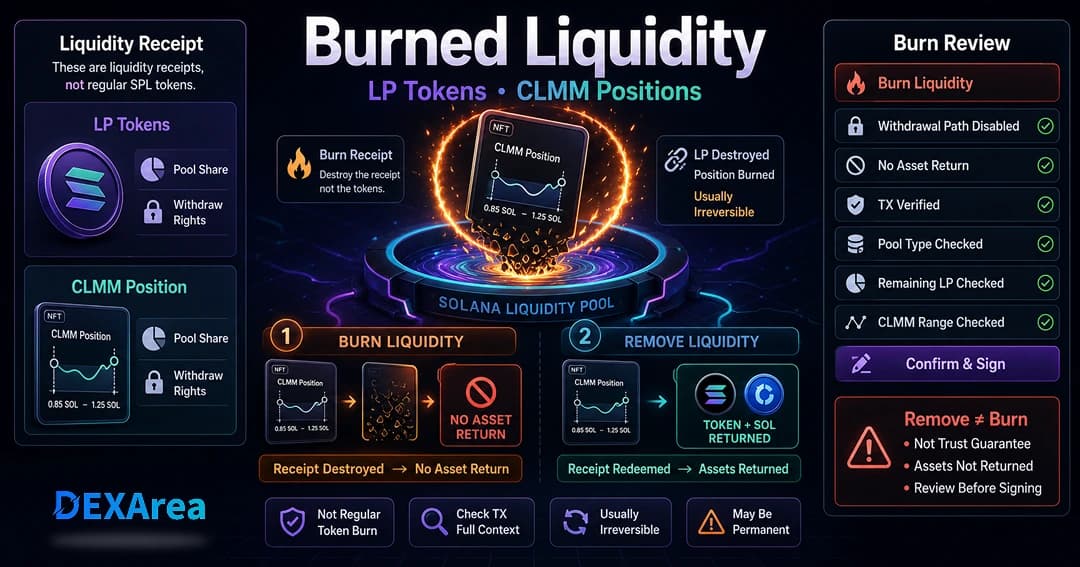
When you deposit assets into a liquidity pool, the protocol issues liquidity provider (LP) tokens. LP tokens represent your proportional share of the pool and accrue fees generated by trades. To remove liquidity later, you must return (burn) your LP tokens. Burning LP tokens is the mechanism for withdrawing your original assets plus any earned fees. If you burn LP tokens permanently (for example, to lock liquidity as part of a fair launch), you give up the ability to withdraw liquidity, and the tokens remain in the pool forever. Understanding LP tokens is essential; do not burn them unless you are certain you will not need to remove liquidity later.
Need to manage your pool? You can add liquidity, remove liquidity or burn liquidity right from your wallet.
After Creating the Pool: What Should You Do Next?
- Verify pool creation: Check your transaction history and confirm that the pool exists on the correct network. You can search for the pool address on Solana block explorers.
- Test a small swap: If appropriate, perform a small swap between the two assets to ensure the pool functions properly. Keep slippage tolerance low to avoid accidental price impact.
- Add more liquidity (optional): Depending on your launch strategy, you may want to add more liquidity before announcing the pool. Use the add liquidity tool to top up the pool.
- Share the correct token or pool link: Promote your token mint address and the pool address. Sharing the wrong link could expose users to phishing or scam pools.
- Monitor holders: Use the snapshot token holders tool to track who holds your token. This can help with marketing, airdrops or governance decisions.
- Consider burning liquidity: Burning LP tokens can demonstrate commitment, but it permanently locks liquidity. Only burn after carefully considering the consequences and consulting your community.
Common Mistakes to Avoid
- Creating on the wrong network: Always ensure you are on the intended network (Mainnet, Devnet, Testnet) before creating a pool.
- Selecting the wrong token mint: Double‑check the mint address. Using the wrong token can permanently lock funds in an unintended pool.
- Setting an inappropriate initial ratio: The initial ratio determines price and depth. Too high or too low can lead to extreme price movements or wasted capital.
- Adding too little liquidity: Shallow pools suffer from high slippage and may discourage traders.
- Misunderstanding LP tokens: LP tokens are required to remove liquidity. Do not burn them unless you intend to lock liquidity permanently.
- Burning liquidity too early: Burning LP tokens prematurely can limit flexibility and deter future improvements.
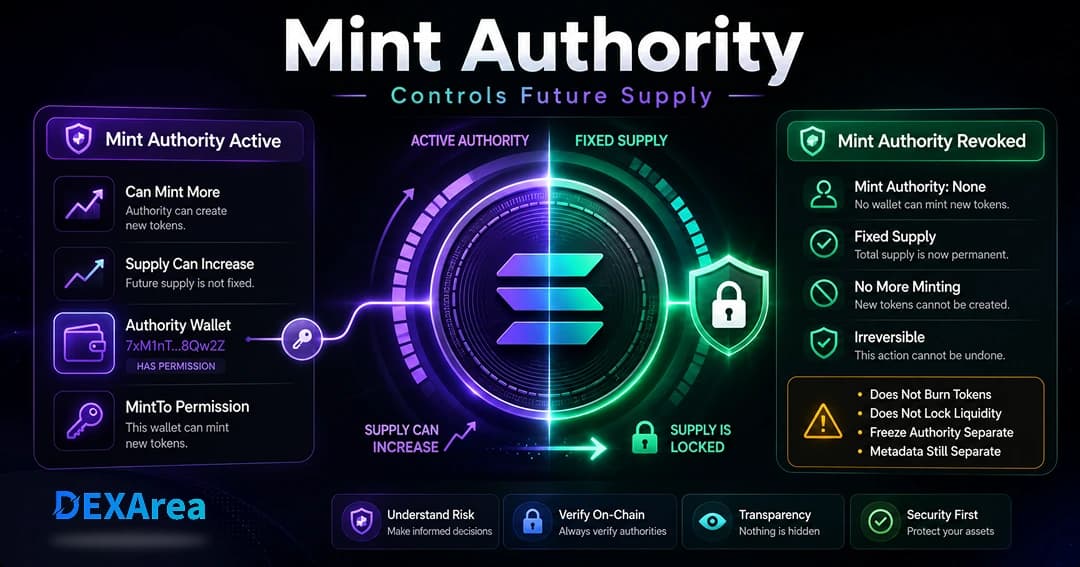
- Forgetting authority settings: Review and, if appropriate, revoke mint or freeze authority to prevent unauthorized minting.
- Not testing with small transactions: Always test with small amounts to catch mistakes before committing significant liquidity.
- Confusing pool creation with token creation: Creating a pool does not create a token. Ensure your token exists before starting.
Security and Launch Checklist
- Token mint verified and metadata correct
- Wallet holds sufficient base tokens and quote tokens
- Adequate SOL for transaction fees
- Network selected (Mainnet/Devnet/Testnet)
- Mint and freeze authorities reviewed (revoke if desired)
- Initial price ratio calculated and reviewed
- Pool type (AMM/CPMM/CLMM) selected intentionally
- All transaction details reviewed in wallet before signing
- Pool address saved after creation for future reference
FAQ
1. What is a liquidity pool on Solana?
A liquidity pool is a smart contract that holds two or more tokens and allows traders to swap between them without needing a counterparty. Users trade against the pool’s reserves, and the price is determined by the ratio of tokens in the pool.
2. Do I need a liquidity pool after creating a Solana token?
If you want your token to be tradable, yes. Without a pool there is no market for your token. A pool enables users to buy and sell the token and establishes an initial price.
3. Can I create a liquidity pool without coding?
Absolutely. DEXArea’s Create Pool tool lets you create a Raydium pool from your wallet with no coding required. Just provide the token addresses and initial liquidity amounts, then sign the transaction.
4. Which quote token should I use, SOL or USDC?
SOL pairs are simple and appeal to the Solana community but expose your token to SOL’s price volatility. USDC pairs provide a stable reference price and are better for projects that need predictable valuations. Choose the pair that fits your narrative and user base.
5. What is the best Raydium pool type?
There is no one‑size‑fits‑all. AMM/CPMM pools are simple and suitable for most launches. CLMM pools concentrate liquidity within a range and offer deeper liquidity but require active management and carry more risk.
6. How much liquidity do I need?
There is no fixed amount. You must balance depth against capital efficiency. Higher liquidity reduces slippage and encourages traders, but locking too much capital may be unnecessary. Start with enough to support anticipated trading and adjust later.
Yes. You can withdraw your assets by returning your LP tokens via the remove liquidity tool. Remember that you cannot remove liquidity if you burn your LP tokens.
8. What are LP tokens?
LP tokens are receipts representing your share of the pool. They entitle you to withdraw your deposited assets and earned fees. Destroying (burning) them permanently locks your liquidity.
9. Should I burn liquidity?
Burning LP tokens is a way to demonstrate commitment and prevent liquidity rug pulls. However, it is irreversible. Only burn liquidity after thoroughly considering the impact and ensuring it aligns with your project’s goals.
You can, but many communities expect projects to revoke mint and freeze authorities to prove that supply cannot be arbitrarily changed. Consider revoking these authorities using our revoke mint and revoke freeze tools before or shortly after launch.
Conclusion
Creating a liquidity pool on Solana transforms your token from a static asset into a tradable currency. By pairing your token with SOL, USDC or another asset, you enable permissionless trading, establish an initial price and build confidence in your project. Prepare carefully by verifying your token mint, choosing the right quote asset, selecting an appropriate pool type and calculating your initial ratio. Understand how LP tokens work and be cautious about burning them. Finally, always review transactions in your wallet and test on Devnet when possible.
Ready to launch liquidity for your token? Use the DEXArea Create Pool tool to create a Solana liquidity pool directly from your wallet.
Disclaimer: This guide is for educational purposes only and does not constitute financial advice. Cryptocurrency markets are volatile, and providing liquidity carries risks such as impermanent loss. Always review every transaction in your wallet before signing, and consider testing important flows on Devnet first. DEXArea is non‑custodial; your wallet signs transactions and your private keys stay in your wallet.